Have you ever tried to charge your iPhone and nothing happens?
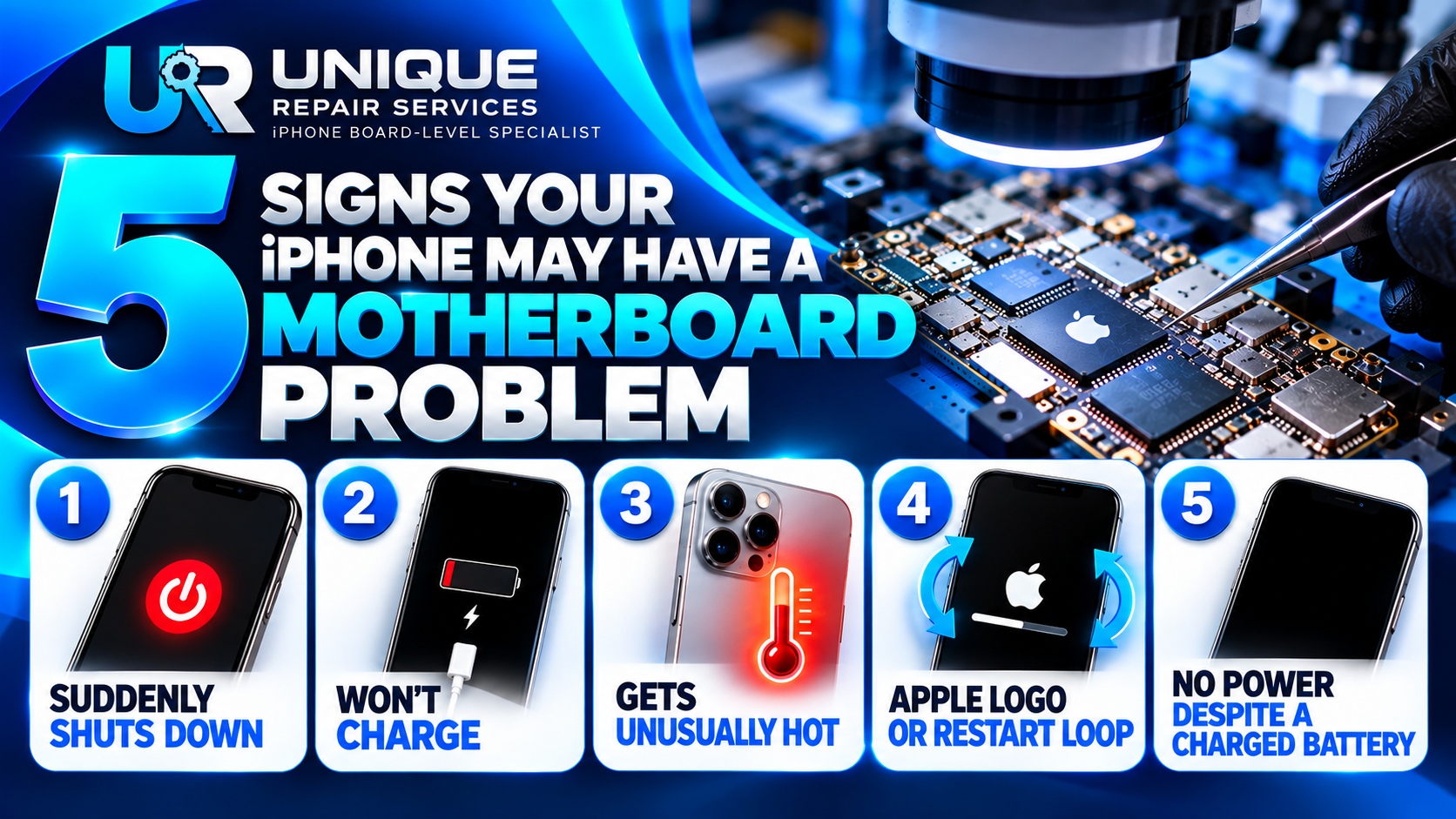
Or maybe your iPhone suddenly shuts down, keeps showing the Apple logo, becomes unusually hot, or refuses to turn on even though the battery was charged?
These problems can be caused by different things.
Sometimes, the solution may be as simple as replacing a damaged part. But in some cases, the problem may be related to the iPhone motherboard.
The motherboard is one of the most important parts of an iPhone. It contains many small components and circuits that control important functions such as power, charging, communication and other parts of the device.
When something goes wrong on the motherboard, the problem can sometimes be difficult to identify.
In this article, we will look at five signs that may indicate a motherboard problem.
Important: These signs do not automatically mean that your motherboard is faulty. Other problems can cause similar symptoms. Proper diagnosis is needed before deciding on a motherboard repair.
One warning sign is when your iPhone suddenly switches off without a clear reason.
For example, the phone may be working normally and then suddenly go off.
It may happen when you are using an app, making a call or even when the phone is simply sitting unused.
There can be several reasons for sudden shutdowns.
A weak battery can cause the problem. Software problems can also cause unexpected shutdowns.
However, if the problem continues after the battery and software have been properly checked, there may be another issue that needs further diagnosis.
In some cases, a motherboard-related fault can affect the power system of the iPhone.
This is why it is important not to immediately assume that the battery is the problem.
Another common problem is an iPhone that refuses to charge.
You connect the charger, but nothing happens.
Or the phone may show that it is charging but the battery percentage does not increase properly.
Many things can cause charging problems.
For example:
This is why simply replacing the charging port may not always solve the problem.
If the charging port is working correctly but the phone still refuses to charge, the charging circuit and related components may need to be checked.
A technician can carry out proper tests to find out where the problem is coming from.
Does your iPhone become very hot even when you are not doing anything demanding?
Unusual heating can be another sign that something may not be working correctly.
Some heat is normal when using an iPhone for demanding tasks, charging or using it in a hot environment.
But if the phone becomes unusually hot while doing very little, it should not be ignored.
Possible causes include:
A faulty component on the motherboard can sometimes draw more power than it should.
This can create unusual heat.
A technician may use tools such as a DC power supply or thermal camera to help investigate the problem.
However, the cause should be confirmed through proper diagnosis rather than assuming that the motherboard is faulty.
Another common problem is an iPhone that gets stuck on the Apple logo.
You switch on the phone.
The Apple logo appears.
Then the phone restarts.
The same thing happens again and again.
This is sometimes called a restart loop or boot loop.
Software problems can cause this.
A failed update or corrupted software may also be responsible.
But hardware problems can cause similar symptoms.
In some cases, a problem with a motherboard component can prevent the iPhone from completing its normal startup process.
If basic software troubleshooting does not solve the problem, further diagnosis may be necessary.
A technician should check the phone carefully before deciding that a motherboard repair is required.
One of the most worrying problems for an iPhone owner is pressing the power button and getting absolutely nothing.
The screen stays black.
There is no Apple logo.
The phone does not respond.
You may already know that the battery had enough charge before the phone stopped working.
There are several possible causes.
It could be a battery problem, charging issue, physical damage or another hardware fault.
In some cases, the problem may be related to the iPhone motherboard or its power circuits.
This type of fault usually needs proper diagnosis.
A technician may use a DC power supply and other tools to check how the device responds and to look for signs of a power-related fault.
Not necessarily.
This is very important to understand.
The five problems discussed above can have many different causes.
For example, an iPhone that does not charge does not automatically have a motherboard problem.
It could simply have a damaged cable or charging port.
An iPhone that shuts down could have a battery problem.
An iPhone stuck on the Apple logo could have a software problem.
This is why diagnosis should always come before repair.
A professional technician should investigate the problem and determine the most likely cause before replacing parts or working on the motherboard.
The iPhone motherboard contains extremely small components.
Some of these components are difficult to see without a microscope.
Repairing them requires specialised tools and careful soldering work.
This is where board-level repair and micro-soldering become important.
A trained technician may be able to locate a damaged component, repair a damaged connection or replace a faulty component without simply replacing the entire motherboard.
However, the correct repair depends on the actual fault.
Not every motherboard problem can be repaired, and not every iPhone fault requires motherboard repair.
Proper diagnosis is the first step.
If your iPhone suddenly develops one of these problems, do not panic.
Start with simple checks where appropriate.
Try a known-good charger and cable if the phone will not charge.
Check for obvious physical damage.
If the phone has been exposed to liquid, avoid continuing to power or charge it and seek professional advice.
Most importantly, avoid repeatedly trying random repairs without knowing the cause of the problem.
A wrong repair can sometimes make an existing problem more difficult to diagnose.
Consider getting professional help if:
A professional technician can perform the necessary tests and explain what may be causing the problem.
At Unique Repair Services, we specialise in professional iPhone repair, including board-level repair and micro-soldering.
When an iPhone develops a serious fault, our focus is on understanding the problem before deciding on the repair.
A motherboard should not be worked on simply because an iPhone is not charging or powering on.
The fault should first be investigated.
Our goal is to help customers understand what is wrong with their device and determine the appropriate repair approach.
Motherboard problems can be difficult to identify because they can cause symptoms that look like ordinary hardware or software problems.
An iPhone that shuts down, refuses to charge, becomes unusually hot, gets stuck on the Apple logo or shows no signs of power may need further diagnosis.
But remember:
A symptom is not the same thing as a diagnosis.
If your iPhone is showing any of these signs, the best place to start is with proper testing.
Understanding the real problem can help you avoid unnecessary part replacement and choose the right repair.
iPhone Board-Level Specialist
Onitsha Main Market, Anambra State, Nigeria
SEO Title:
5 Signs Your iPhone May Have a Motherboard Problem
Meta Description:
Is your iPhone shutting down, not charging or stuck on the Apple logo? Learn 5 signs that may point to a motherboard problem.
URL Slug:
5-signs-iphone-may-have-motherboard-problem
Suggested Tags:
iPhone Repair, iPhone Motherboard Repair, iPhone Board Repair, iPhone Not Charging, iPhone Not Powering On, Micro-Soldering, iPhone Repair Tips

A new location, same trusted expertise! Join us on 29th September 2026 as Unique Repair Services officially reopens at Shop B27, Patchyke Plaza, opposite Emeka Offor Plaza, Onitsha Main Market. Visit us for professional iPhone repairs, advanced motherboard Repair